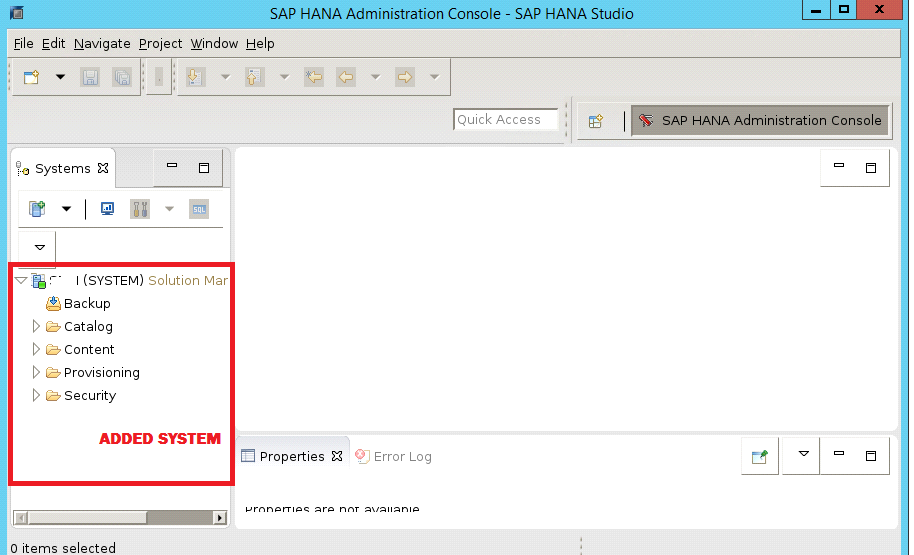
HOW TO ADD SAP HANA SYSTEM IN HANA STUDIO
In this article i am going to explain how to add HANA system into HANA Studio
In order to connect to a SAP HANA system we should have HANA Server detail and the Instance Number also Username & Password combination to connect to the instance.
How to add new HANA system:
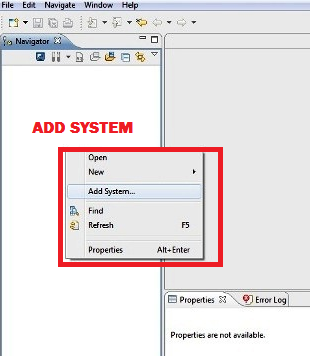
Open HANA Studio and Right click in the Navigator space and click on Add System
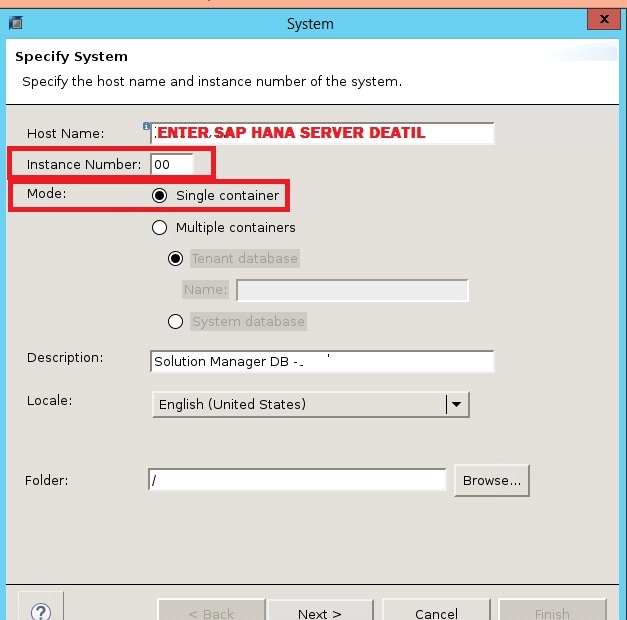
Enter HANA system details.
Hostname & Instance Number
Mode– Single Container and click on next.
Enter the database username & password to connect to the SAP HANA database (Here we are using System user name and password). Click on Next .
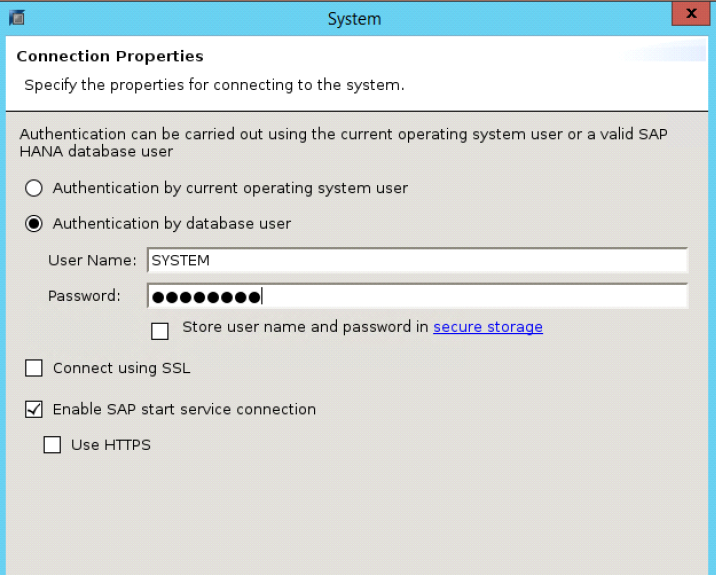
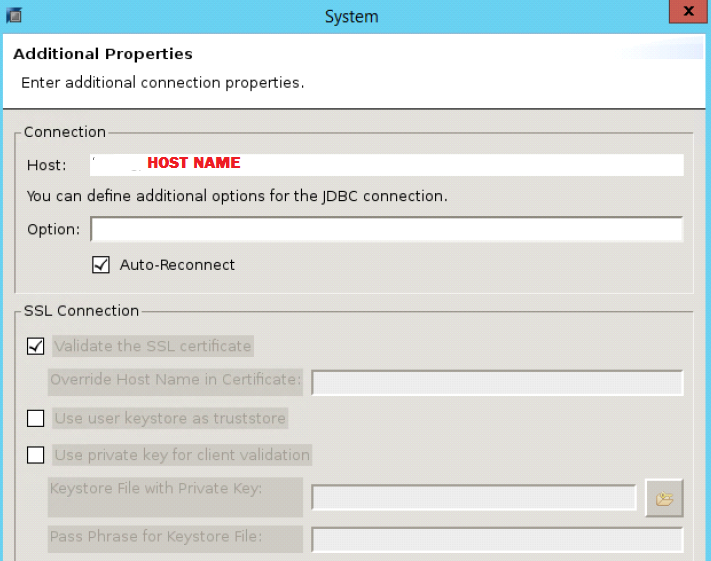
Additional property and finish.
The SAP HANA system has been added in HANA Studio and can be seen in the Navigator.