How to Fix “Start of UME Service Failed” in JAVA System
Issue:
If your Java system server nodes are not coming up and in the server log files you see similar entries as below .
Aug 2, 2019 12:22:39 PM com.sap.security.core.persistence [SAPEngine_System_Thread[impl:5]_125] Fatal: Initialization of ABAP data source (com.sap.security.core.persistence.datasource.imp.R3Persistence) failed: “Name or password is incorrect (repeat logon)”. This message is critical if it appears during the startup of the AS Java.
Aug 2, 2019 12:22:39 PM …re.server.ume.service.UMEServiceFrame [SAPEngine_System_Thread[impl:5]_125] Fatal:
service com.sap.security.core.ume.service ================= ERROR =================
Core service com.sap.security.core.ume.service failed. J2EE Engine cannot be started.
com.sap.engine.frame.ServiceException: Start of UME service failed. Check help topic “Start of UME Service Failed”. Technical details: Name or password is incorrect (repeat logon)
In this case there is an issue with UME user password in back-end system.
Solution :
- Open Configtool
- Go to Global Server Configuration –> Services –> com.sap.security.core.ume.service
refer below screen to navigate to the UME service.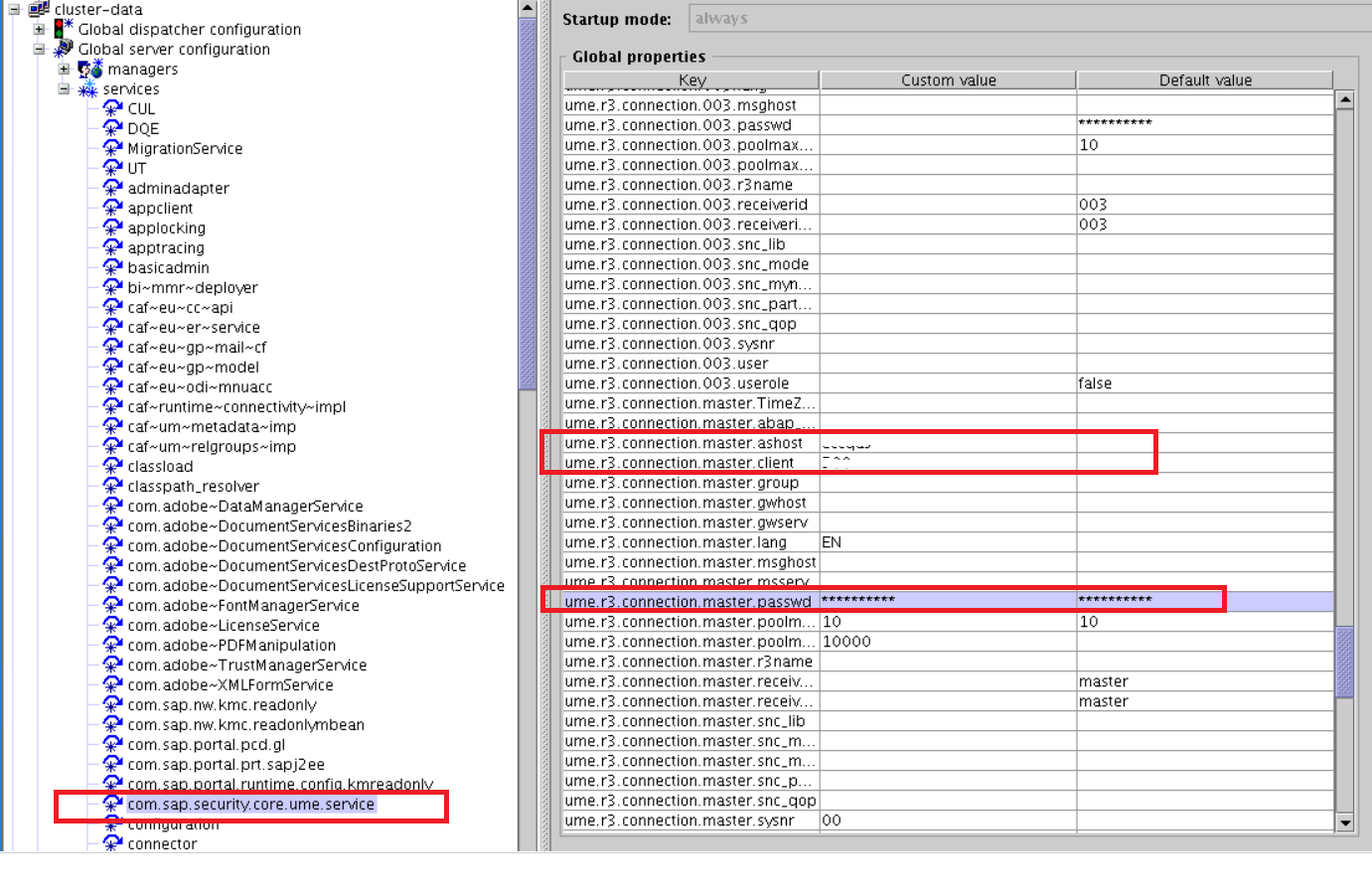
3. Enter correct password of back-end UME user .On the right hand side screen you will get UME backend user name. In our case it is SAPJSF.

4. Reboot JAVA
It will fix com.sap.security.core.ume.service issue and JAVA should come up.